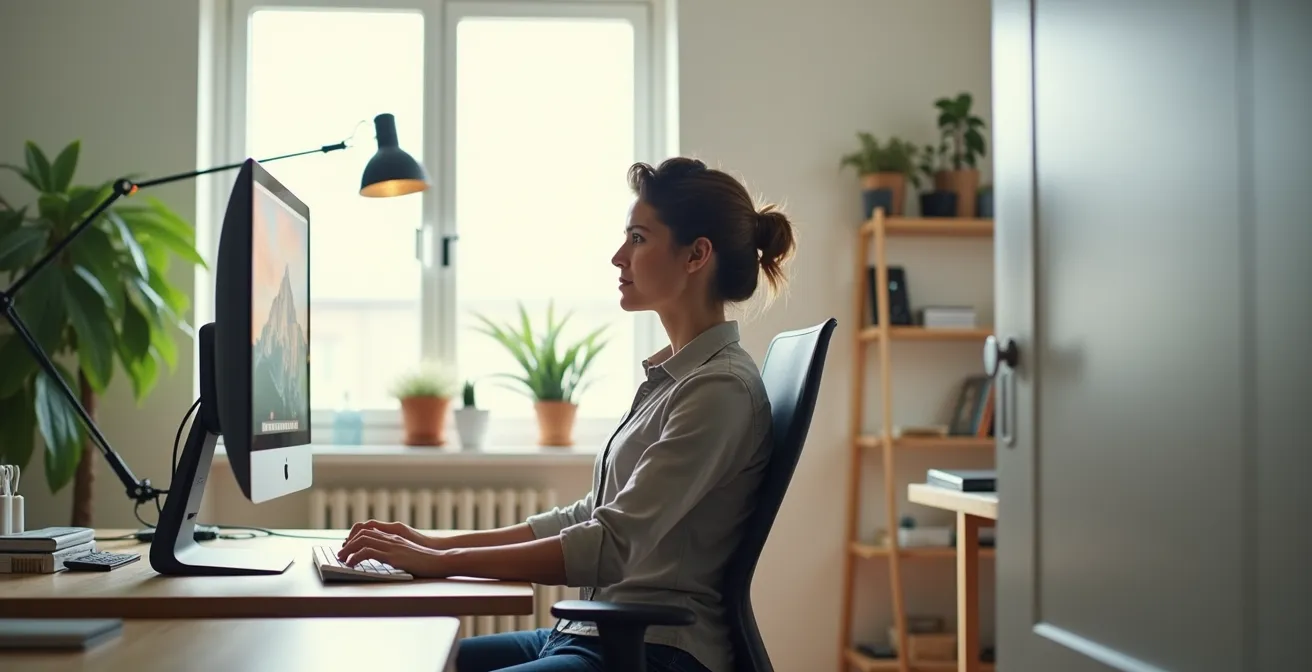
“Tech neck” isn’t just bad posture; it’s a deep-seated neuromuscular habit that generic stretches can’t fix.
- Lasting correction starts with diagnosing root causes like overcompensating muscles and poor ergonomic setups, not just treating symptoms.
- The most effective fix involves targeted activation of weak, underused muscles, rather than simply stretching the tight, overworked ones.
Recommendation: This 10-minute daily plan is your blueprint for retraining your body’s automatic responses and achieving lasting relief from neck and shoulder pain.
If you’re a remote worker, that persistent ache at the base of your neck, the tension in your shoulders, and those recurring headaches likely feel like an unavoidable part of the job. You’ve probably been told to “sit up straight” or tried a few generic neck stretches you found online. These might offer fleeting relief, but the pain always returns. Why? Because we’ve been approaching the problem incorrectly. “Tech neck” isn’t just a consequence of slouching; it’s a complex neuromuscular habit ingrained by hours spent looking down at laptops and phones. Your body has learned an inefficient way to hold itself upright.
Most advice focuses on stretching what feels tight, but this is like constantly bailing water out of a boat without fixing the leak. The real key to lasting change isn’t in endlessly stretching overworked muscles, but in awakening and strengthening the dormant ones that are supposed to be doing the work. This is the core of neuromuscular retraining: teaching your brain and body to revert to their natural, efficient alignment. It’s about moving from passive stretching to active correction.
This guide provides a corrective, empathetic approach, just as a physiotherapist would. We won’t just give you a list of exercises. We will walk you through a series of self-diagnostics to understand *your* specific postural patterns. We’ll then provide a structured, 10-minute daily routine that moves beyond simple flexibility to build true mobility and strength. This is your plan to not just manage tech neck, but to fundamentally correct it.
For those who prefer a visual demonstration, the following video breaks down the “wall slide,” a crucial exercise for activating the serratus anterior muscle, a key player in stabilizing your shoulder blades and correcting posture.
To help you navigate this comprehensive plan, the article is structured to build your understanding from the ground up. We will first explore the science behind the strain, then move through practical adjustments, targeted exercises, and the fundamental principles of sustainable posture.
Summary: A Physiotherapist’s Guide to Reclaiming Your Posture
- Why Looking Down at Your Phone Doubles the Pressure on Your Cervical Spine?
- How to Adjust Your Monitor Height to Force a Neutral Spine Position?
- Standing Desk vs. Swiss Ball Chair: Which Is Better for Core Engagement?
- The Upper Trap Overcompensation: Why Your Shoulders Are Always Raised?
- Morning vs. Mid-Day: When Should You Perform Posture Drills?
- Why Running Might Worsen Hip Tightness for Desk Workers?
- How to Change Stem Length to Relieve Neck Tension?
- Mobility vs. Flexibility: What You Need to Fix Chronic Stiffness?
Why Looking Down at Your Phone Doubles the Pressure on Your Cervical Spine?
The human head weighs about 10-12 pounds in a neutral position. However, the moment you tilt it forward to look at a screen, the laws of physics create a devastating multiplier effect on your cervical spine. As an ergonomist, I need you to visualize this: it’s not just the weight, but the leverage. A slight 15-degree forward tilt increases the force to 27 pounds. At the typical 45-degree angle of texting or looking at a laptop on your lap, you are asking your neck muscles to support nearly 50 pounds of force. According to research from UT Southwestern, this is like carrying a small child on your neck for hours a day. This chronic load is what leads to muscle strain, nerve compression, and disc herniation over time.
But the problem is deeper than just mechanical stress. Your body has an intricate system called the oculo-cervical reflex, which coordinates eye and head movements. In a healthy state, your eyes move first, and your neck follows smoothly. With tech neck, this reflex is hijacked. You lead with your head, jutting your chin forward and down, forcing your eyes to adjust. This creates a faulty neuromuscular pattern where the small, deep muscles meant for fine control (the suboccipitals) become weak, and the large, superficial muscles (like the trapezius) take over, becoming chronically tight and painful. To break this cycle, you must retrain this fundamental reflex.
Action Plan: 3-Step Oculo-cervical Reflex Retraining Sequence
- Practice eye movements without head movement: While keeping your head perfectly still in a neutral position, look up, down, left, and right using only your eyes. Perform 10 repetitions to re-establish the eyes’ role as the primary movers.
- Perform micro head movements with fixed gaze: Keep your eyes fixed on a single point directly in front of you. Gently and slowly nod your head “yes” and shake it “no” in a very small range of motion. Perform 5 reps of each to teach the neck to move independently of the eyes.
- Combine controlled head-eye coordination: Start with your eyes. Look up, then let your head follow in a smooth, controlled motion. Return to neutral. Look to the right, then let your head follow. This, according to a recent study in Nature, re-establishes the correct neuromuscular sequence. Perform 8 repetitions in each direction.
Understanding this biomechanical strain is the first step. It’s not about blaming yourself; it’s about recognizing the powerful physical forces your body is fighting against and why simple stretches are not enough.
How to Adjust Your Monitor Height to Force a Neutral Spine Position?
The single most effective environmental change you can make to combat tech neck is to position your monitor correctly. The goal is to create a setup that *forces* your spine into a neutral position, making it more difficult to slouch. The common advice is to place the top of the monitor at or slightly below eye level, but this is meaningless if you don’t first know what a neutral spine feels like. Your brain’s perception of “straight” has likely been distorted by years of poor posture. We must first re-calibrate your proprioception—your body’s internal sense of its position in space.
To do this, we’ll use a simple diagnostic tool: a wall. The wall provides undeniable tactile feedback that your senses cannot ignore. By learning to replicate this feeling at your desk, you move from a vague concept of “good posture” to a tangible, repeatable position. This recalibration is the foundation upon which all other ergonomic adjustments should be built. Without it, you are simply guessing.
The image below illustrates how even simple objects, like a stack of books, can be used to achieve the proper height once you’ve identified your neutral alignment. The focus is on the result, not the expense of the equipment.
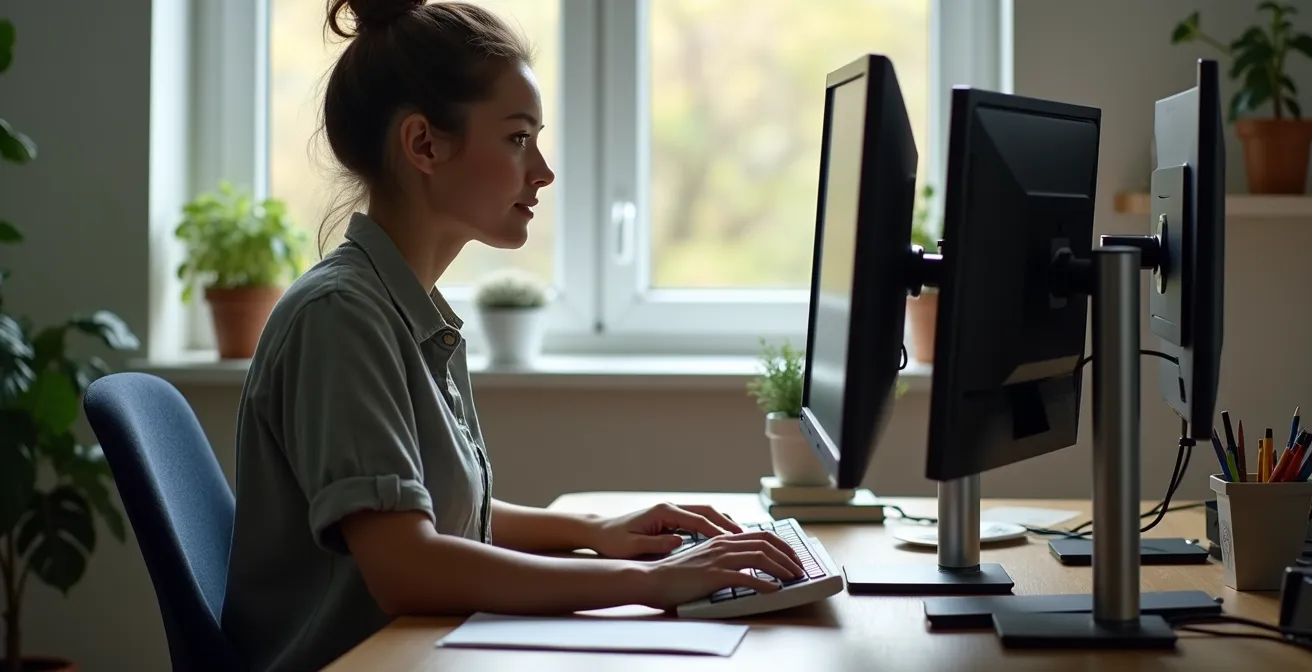
As you can see, the objective is to bring the screen to a height where your neck can remain long and your chin slightly tucked, mimicking the alignment you found against the wall. This setup makes slouching an active, uncomfortable choice rather than a passive, default state. It retrains your posture by making the correct position the easiest one to maintain.
Action Plan: The 30-Second Wall Test for Neutral Spine Awareness
- Find Your Position: Stand with your back against a wall, with your heels about 2 inches away from it. Your feet should be shoulder-width apart.
- Set Your Base: Gently press your lower back against the wall, engaging your core slightly to reduce any excessive arch. Your goal is not to flatten your spine completely but to maintain its natural, gentle ‘S’ curve.
- Align Your Head: Without tilting your chin up, slide the back of your head up the wall until it makes light contact. Think of a string pulling the crown of your head towards the ceiling. This lengthens the cervical spine.
- Memorize the Feeling: Hold this precise position for 30 seconds. Pay close attention to the feeling of length in your neck and the gentle engagement of your back and core muscles. This is your true neutral spine.
- Recreate at Your Desk: Step away from the wall and immediately go to your desk. Adjust your chair height, and then stack books or a monitor stand under your screen until the top of the monitor is at a level that allows you to perfectly recreate that “wall feeling”.
This simple diagnostic costs nothing but provides the essential data needed to customize your workspace. Do it every morning for a week to make this new alignment your body’s automatic default.
Standing Desk vs. Swiss Ball Chair: Which Is Better for Core Engagement?
In the quest to undo the damage of sitting, many remote workers turn to two popular solutions: the standing desk and the Swiss ball chair. Both are marketed as cures for sedentary life, promising better posture and core engagement. However, as a physiotherapist, I must caution you: neither is a magic bullet, and prolonged, static use of either can create its own set of problems. The standing desk can lead to foot, knee, and lower back pain if used for hours on end, while the initial core activation from a Swiss ball often diminishes as your muscles fatigue and you begin to slouch on the ball itself.
The debate shouldn’t be “which one is better?” but rather “how can they be used strategically?” The key is not static endurance but dynamic change. Your body craves variety. The most beneficial approach involves alternating between different positions throughout the day, each chosen for the task at hand. This prevents muscle fatigue, reduces static load on your joints, and keeps your postural muscles actively engaged. Instead of committing to one solution, think of your workstation as a dynamic environment with multiple tools at your disposal.
This concept is supported by evidence suggesting that the benefits of any single “alternative” posture are short-lived if maintained for too long. A strategic, task-based approach leverages the strengths of each option while mitigating its weaknesses.
Case Study: The Task-Based Switching Strategy
Physical therapy research highlights the ineffectiveness of prolonged static postures, even “good” ones. An effective strategy, often called “task-based switching,” prevents the muscle fatigue associated with staying in one position for too long. For example, a study from OrthoCarolina suggests that after about 30 minutes of sitting on a Swiss ball, there is no significant difference in core muscle activation compared to a regular chair, as fatigue leads to slouching. The solution is to alternate: use a standing desk for long, focused tasks (e.g., a 90-minute report), a traditional ergonomic chair for moderate-duration work, and a Swiss ball for short, collaborative tasks like a 20-minute video call. This rotation keeps muscles engaged without leading to the overuse and fatigue that negate the benefits.
Ultimately, the best “desk” is one that changes. Invest in variety and a timer, not a single, expensive solution. Your body will thank you for the constant, subtle shifts in position and muscle engagement.
The Upper Trap Overcompensation: Why Your Shoulders Are Always Raised?
Do you ever feel like your shoulders are permanently attached to your ears? This chronic tension in the upper trapezius (“traps”) is one of the most common complaints from desk workers. We often blame stress, but in the context of tech neck, it’s a clear sign of muscular overcompensation. When your head drifts forward, the smaller, deeper neck muscles (like the deep cervical flexors) that are designed to stabilize your head become weak and inhibited. To prevent your head from falling forward, your body recruits the large, powerful upper traps to do a job they weren’t designed for: constant, low-level support. They are acting as emergency brakes, and they are exhausted.
This is the start of a vicious cycle. The overworked upper traps become tight and ischemic (lacking blood flow), which sends pain signals to your brain. This pain is often compounded by another hidden culprit: your breathing. When you’re stressed or focused, you tend to adopt a shallow, “chest breathing” pattern. This pattern further recruits neck and shoulder muscles, which are meant to be secondary, not primary, breathing muscles. They are now doing two jobs they aren’t built for.
As Dr. Amanda Krus-Johnston, a specialist in this area, explains, this pattern is a form of functional hijacking that perpetuates the cycle of pain and tightness.
Stressed, shallow ‘chest breathing’ hijacks the neck and shoulder muscles, which are meant to be secondary, not primary, breathing muscles.
– Dr. Amanda Krus-Johnston, SIU Center for Family Medicine
To break this cycle, you must first identify if your workspace is forcing this overcompensation. A simple diagnostic test can reveal if your desk setup is the primary cause of your shoulder elevation.
Your Action Plan: Auditing Your Postural Habits
- The Keyboard Float Test: Sit at your desk and place your hands on the keyboard. Completely relax your shoulders, letting them drop. Do they automatically rise to reach the keys? If your shoulders lift more than an inch, your desk/keyboard is too high, forcing your traps to work all day.
- The Armrest Check: With your shoulders relaxed and down, your elbows should rest comfortably on your armrests at a 90-degree angle. If the armrests are too high, they push your shoulders up. If too low, you’ll lean to one side, creating imbalance.
- The Breathing Pattern Audit: Place one hand on your chest and one on your belly. Take a normal breath. Which hand moves more? If it’s your chest hand, you are chest breathing. Practice “diaphragmatic breathing” by consciously inhaling into your belly, allowing the belly hand to rise first.
- The Monitor Scan Inventory: Do you find yourself leaning forward to see the screen? This indicates your monitor is too far away or the text is too small. This forward lean is the primary trigger for the entire overcompensation cascade.
- The Habit Loop Analysis: Identify your postural triggers. Is it a stressful email? A long meeting? When you notice the trigger, consciously drop your shoulders, take a diaphragmatic breath, and perform a gentle chin tuck. This helps rewire the habit loop.
Correcting this dysfunction isn’t about stretching the traps into submission. It’s about adjusting your ergonomics and retraining your breathing so these muscles can finally stop doing a job that isn’t theirs.
Morning vs. Mid-Day: When Should You Perform Posture Drills?
You now have a set of corrective exercises, but when is the best time to perform them for maximum impact? Just as with nutrition or fitness, timing matters. Performing random stretches whenever you feel a twinge is better than nothing, but a strategic, chronobiology-based approach will yield far superior results. Your body’s needs change throughout the day, and your posture routine should reflect that. Think of it not as one long workout, but as a series of targeted micro-interventions.
In the morning, your body is stiff from hours of immobility. The primary goal is not deep stretching, but activation and mobility. You want to wake up the postural muscles that have been dormant all night and gently move your spine through its full range of motion. This prepares your body for the day and sets a foundation of good alignment. Doing intense static stretches on “cold” muscles first thing in the morning can be counterproductive and even risky.
As the day progresses, your enemy is static posture. The goal of mid-day drills is to interrupt the slow creep of slouching. This is where the “Pomodoro” technique, typically used for productivity, can be adapted for posture. Short, frequent breaks for specific retractions and squeezes are more effective than one long stretching session at lunch. Finally, at the end of the day, the focus shifts to release and recovery. Now is the time for static stretches to lengthen the muscles that have been contracting all day, like your pecs, and to down-regulate your nervous system with calming breathing exercises.
Action Plan: The Chronobiology-Based Postural Pomodoro Schedule
- Morning Activation (7-9 AM, 3 minutes): The goal is to awaken postural muscles. Focus on dynamic movements like wall angels (to activate the lower traps) and thoracic extensions over a foam roller (to mobilize the mid-back).
- Mid-Morning Pomodoro Break (every 50 mins, 2 minutes): Interrupt forward head posture. Perform 10-15 slow, deliberate chin tucks and neck retractions. This is a direct antagonist to the “tech neck” position.
- Lunchtime Reset (12-1 PM, 5 minutes): A full mobility sequence to undo morning stiffness. Perform 10 cat-cow movements, slow shoulder rolls in both directions, and gentle spinal twists.
- Afternoon Pomodoro Breaks (every 50 mins, 2 minutes): Combat shoulder tension. Perform upper trap stretches (gently pulling head to the side) and scapular squeezes (pinching your shoulder blades together) to reactivate your mid-back.
- End-of-Day Release (5-6 PM, 3 minutes): Down-regulate and lengthen. Perform a pec stretch in a doorway (30 seconds each side) and finish with 1-2 minutes of slow, diaphragmatic breathing to calm the nervous system.
By aligning your exercises with your body’s daily rhythm, you move from a reactive approach (stretching when it hurts) to a proactive one (preventing the pain from starting in the first place).
Why Running Might Worsen Hip Tightness for Desk Workers?
For many desk workers, a run after a long day of sitting feels like the perfect antidote—a chance to stretch the legs and clear the head. While the cardiovascular benefits are undeniable, from a biomechanical standpoint, running can actually exacerbate the very postural problems caused by sitting. This is a frustrating paradox for many of my clients. The issue lies in what happens *before* you even take your first stride. Sitting for eight hours shortens and tightens your hip flexors and, more importantly, “turns off” your gluteal muscles through a process called reciprocal inhibition.
When your hip flexors are tight, your nervous system sends signals to your glutes—the antagonist muscles—to relax. You then go for a run with deactivated glutes. Your glutes are the primary powerhouses for hip extension, the motion that propels you forward. When they aren’t firing properly, your body must find that power elsewhere. It starts to over-rely on the hamstrings and the lower back extensors (like the quadratus lumborum). This not only leads to inefficient running and potential hamstring strains, but it also pulls your pelvis into an anterior tilt, further shortening the hip flexors and contributing to lower back pain. You are essentially reinforcing the poor posture you had at your desk.
The solution is not to stop running. It’s to insert a crucial, non-negotiable step between sitting and running: a pre-run activation sequence. This isn’t a warm-up in the traditional sense of just getting the blood flowing. It’s a targeted series of exercises designed to wake up your dormant glutes and gently release your hip flexors, ensuring the right muscles are ready to do their job.
Action Plan: The 5-Minute Pre-Run Activation Sequence for Desk Workers
- 90/90 Hip Flexor Stretch: In a lunge position with your back knee on the ground (on a pad), gently tuck your tailbone and squeeze the glute of the back leg. Hold for 30 seconds on each side to release the tightness from sitting.
- Glute Bridges: Lie on your back with knees bent. Drive through your heels to lift your hips, squeezing your glutes firmly at the top. Hold for 2 seconds. Perform 15 repetitions to wake up the gluteus maximus.
- Clamshells: Lie on your side with knees bent and stacked. Keeping your feet together, lift your top knee. Perform 12 repetitions on each side to activate the gluteus medius, a key hip stabilizer.
- Bird Dogs: Start on all fours. Extend your opposite arm and leg simultaneously, keeping your core tight and your back flat. Perform 10 alternating repetitions for core and glute co-activation.
- Standing Hip CARs (Controlled Articular Rotations): Stand and lift one knee to 90 degrees. Slowly rotate it out to the side, then back, and down, making the largest possible circle with your hip. Perform 5 slow circles in each direction to improve hip mobility.
Spending these five minutes to “reboot” your neuromuscular system will not only protect you from injury but will also make your runs feel stronger and more efficient, turning your workout into a true solution, not part of the problem.
How to Change Stem Length to Relieve Neck Tension?
While this guide focuses on the remote worker’s desk, the principles of posture and ergonomics are universal and apply to other activities, like cycling. Many people who suffer from tech neck are also cyclists, and they often carry the same postural faults from their desk to their bike, leading to neck and shoulder pain during or after a ride. The culprit is often the same: an improper “reach” that forces the neck and shoulders into a compromised position. On a bike, this is controlled by the stem length—the component that connects your handlebars to the frame.
A stem that is too long forces you to over-extend your arms, locking your elbows and causing you to hunch your shoulders up towards your ears to support your upper body weight. This is the exact same upper trap overcompensation pattern we see at a desk that is too high or too far away. Your head then has to crane upwards to see the road, hyper-extending the cervical spine. Conversely, a stem that is too short can cramp your cockpit, causing an excessive bend in your back. Finding the right stem length is about achieving that same neutral spine we aim for at our desks, where your arms have a slight, relaxed bend at the elbows, and your shoulders can stay down and back.
You don’t need an expensive professional bike fit to get a good initial idea of your setup. A simple self-assessment using your smartphone can reveal the most obvious faults in your position and guide you toward a more comfortable and sustainable riding posture.
Action Plan: The DIY Smartphone Bike Fit Test for Neck Strain
- Film Yourself: Set up your smartphone on a tripod (or have a friend film you) to get a side-on view of you riding on an indoor trainer. If you don’t have a trainer, a very short, slow ride in a safe, flat area can work.
- Ride Normally: Ride for 2-3 minutes in your most natural, typical position. Don’t try to “pose” for the camera. The goal is to capture your subconscious posture.
- Review the Footage – Locked Elbows: Look at your arms. Are your elbows completely straight and locked? This is a primary indicator that your reach is too long, likely due to a long stem. There should be a soft, relaxed bend.
- Review the Footage – Hunched Shoulders: Observe your shoulders. Are they creeping up towards your ears? This is another sign of a long or low reach, forcing your traps to support your weight instead of your core.
- Check the Back/Arm Angle: Pause the video and look at the angle between your torso and your upper arms. For most endurance and recreational riding, this angle should be around 90-100 degrees. A significantly more acute (smaller) angle suggests your handlebars are too close or too high, while a much wider angle indicates they are too far or too low.
If this test reveals significant issues, consider visiting a local bike shop. Small adjustments, like swapping to a 10mm shorter or longer stem, can make a world of difference in relieving neck tension and making your rides enjoyable again.
Key Takeaways
- “Tech neck” is a neuromuscular habit, not just a muscle problem; correction requires retraining your body’s automatic responses.
- Self-diagnostics like the Wall Test and Keyboard Float Test are crucial for understanding your specific postural faults before attempting to correct them.
- The most effective strategy combines environmental adjustments (ergonomics), timed micro-exercises, and targeted muscle activation, not just passive stretching.
Mobility vs. Flexibility: What You Need to Fix Chronic Stiffness?
In the world of health and fitness, the terms “flexibility” and “mobility” are often used interchangeably, but they represent two fundamentally different concepts. Understanding this distinction is the final and most crucial piece of the puzzle for permanently fixing chronic stiffness from tech neck. As an ergonomist and physiotherapist, this is the concept I spend the most time explaining to my clients. Flexibility is the ability of a muscle to be passively lengthened. It’s your range of motion without a strength component. A classic example is using a strap to pull your leg into a hamstring stretch. You have flexibility, but you aren’t controlling the movement.
Mobility, on the other hand, is strength and control through your entire range of motion. It’s your ability to actively move a limb through its full arc without external assistance. For example, lifting your straight leg as high as you can using only your leg and core muscles. This requires not just flexible hamstrings, but strong hip flexors and a stable core. Chronic stiffness from tech neck is almost always a mobility problem, not a flexibility problem. Your pecs and upper traps feel “tight” not because they are inherently short, but because the opposing muscles in your mid-back (like the rhomboids and lower traps) are too weak to hold your shoulders in a neutral position. Passively stretching the chest gives temporary relief, but the tightness returns because you haven’t strengthened the muscles that actively pull your shoulders back.
A truly effective corrective routine, therefore, must address both. It should start with brief static stretching to temporarily inhibit the overactive muscles and allow for a greater range of motion. But it must immediately be followed by dynamic mobility and strengthening exercises for the underactive muscles. This teaches your body to own and control that new range of motion. The following 10-minute daily routine is structured around this principle.
Action Plan: The 10-Minute Mobility-Flexibility Fix Protocol
- Minutes 0-3 (Static Flexibility – Inhibit the Tight Muscles):
- Pec Doorway Stretch: Stand in a doorway with arms on the frame. Gently step forward. Hold for 30 seconds each side.
- Upper Trap Stretch: Gently pull your head towards your shoulder. Hold for 30 seconds each side.
- Levator Scapulae Stretch: Look down towards your armpit and gently pull. Hold for 30 seconds each side.
- Minutes 3-10 (Dynamic Mobility – Activate the Weak Muscles):
- Wall Slides: Stand with your back against a wall, arms in a “goalpost” position. Slide arms up and down without letting your back arch. 2 sets of 10.
- Band Pull-Aparts: Hold a resistance band with both hands. Pull it apart by squeezing your shoulder blades together. 2 sets of 15.
- Scapular Wall Holds: Lean against a wall with arms straight. Push away by protracting your shoulder blades, then pinch them back. Hold the pinch for 10 seconds. 3 reps.
- Prone Y-T-W Raises: Lie face down. Lift your arms into a Y, then T, then W shape, squeezing your shoulder blades. 2 sets of 8 for each letter.
By dedicating just 10 minutes a day to this protocol, you are not just stretching; you are actively re-educating your entire postural system for a stronger, more resilient, and pain-free upper body.